Spinners

Bootstrap Spinners– Bootstrap‘s lightweight loading indicators. Bootstrap spinners use only HTML and CSS so you don‘t even have to include any complex JavaScript to get them spinning they animate automatically.
1. The Two Main Types
Bootstrap has two visual styles for spinners. You will generally decide which style to use based on how much attention you want to draw to the loading state.
The Border Spinner (spinner-border)
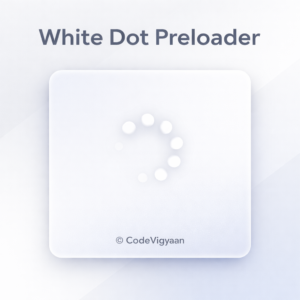
This is the classic “loader” circle that rotates. Specifically, it uses a thinning border to create the spinning effect.
HTML
<div class="spinner-border" role="status">
  <span class="visually-hidden">Loading...</span>
</div>
The Grow Spinner (spinner-grow)
A second method is to apply the grow spinner. This style never spins but does pulse repeatedly, fading in and out.
HTML
<div class="spinner-grow" role="status">
  <span class="visually-hidden">Loading...</span>
</div>
2. Adding Color
All spinners come black by default (or the font color of the parent). Easily change this with Bootstrap‘s core text color utility classes:
- Primary:
text-primary(Blue) - Success:
text-success(Green) - Danger:
text-danger(Red)
For example, to make a red spinning border, you would write:
HTML
<div class="spinner-border text-danger"></div>
3. Size Options
Sometimes the default spinner is too large for your layout. Therefore, Bootstrap offers a smaller version using the .spinner-border-sm or .spinner-grow-sm classes.
- Standard: Default size.
- Small: Use
-smfor a 1rem x 1rem spinner, which is perfect for buttons.
4. Spinners Inside Buttons
One of the most common uses for spinners is inside buttons to show a form is submitting. To achieve this, simply place the spinner HTML inside the <button> tag.
HTML
<button class="btn btn-primary" type="button" disabled>
  <span class="spinner-border spinner-border-sm" aria-hidden="true"></span>
  <span role="status">Loading...</span>
</button>
5. Alignment and Placement
Because spinners are “inline-block” elements, they behave like text. Consequently, you can move them using alignment utilities:
- Centering: Use
d-flex justify-content-centeron a parent<div>. - Floats: Use
float-endto push it to the right. - Text Align: Use
text-centeron the parent container.
Key Terms to Remember
role="status": This is an accessibility feature. Essentially, it tells screen readers that this element represents a “loading” state..visually-hidden: This hides the word “Loading…” from sighted users while still letting screen readers announce it. As a result, your site remains accessible to everyone.
In summary, Bootstrap spinners are a simple yet powerful way to improve user experience. By using them, you give users immediate feedback that your website is working in the background.
Check out our resources!
- Bootstrap Templates: Explore our Bootstrap Projects section.
- Free E-Books: Download your Free E-Books here.