Description
In today’s fast-paced digital world, every second counts. Users expect instant gratification, and even a brief delay in content loading can lead to frustration and abandonment. This is where the often-overlooked hero of web design steps in: the preloader.
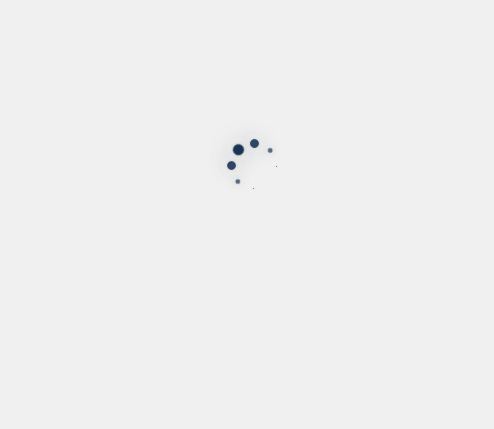
But not just any preloader. We’re talking about the Dot Spinner Preloader—a subtle yet highly effective animation that communicates “Please wait, something awesome is coming” without being intrusive. Forget generic spinning wheels; the dot spinner offers elegance, clarity, and a touch of modern design that keeps your users engaged and informed.
Why a Dot Spinner Preloader is Your Best Bet
While there are countless loading animations, the dot spinner stands out for several compelling reasons:
-
Minimalist & Modern: Its clean design integrates seamlessly into any aesthetic, from corporate to creative. It doesn’t scream for attention but subtly holds it.
-
Clear Communication: The rotating or expanding dots inherently suggest progress or activity, reassuring users that their request is being processed.
-
Lightweight: Typically implemented with minimal CSS or a small SVG, it adds negligible overhead to your page load, which is crucial for overall performance.
-
Versatile: Easily customizable in terms of size, color, speed, and dot count, allowing it to match your brand’s specific look and feel.
-
Perceived Performance: Even if the backend process takes a moment, a smooth, engaging animation can make the wait feel shorter, significantly improving the perceived performance of your application.
Technical Dive: How to Implement a Dot Spinner Preloader
Implementing a dot spinner preloader is surprisingly straightforward, primarily relying on CSS or a simple SVG. Here are two popular approaches:
Option 1: Pure CSS Dot Spinner (The Lightweight Champion)
This method uses HTML for the basic structure and CSS for animation. It’s excellent for maximum performance and easy customization.
HTML Structure (e.g., in your <body> or <div id="loader-wrapper">):
<div class="dot-spinner">
    <div class="dot"></div>
    <div class="dot"></div>
    <div class="dot"></div>
    <div class="dot"></div>
    <div class="dot"></div>
</div>
Basic CSS for Animation:
.dot-spinner {
    display: flex;
    justify-content: center;
    align-items: center;
    width: 60px; /* Adjust size as needed */
    height: 60px;
}

.dot {
    width: 10px;
    height: 10px;
    background-color: #3498db; /* Your brand color */
    border-radius: 50%;
    margin: 0 4px;
    animation: bounce 1.2s infinite ease-in-out both;
}

.dot:nth-child(2) {
    animation-delay: -0.8s;
}
.dot:nth-child(3) {
    animation-delay: -0.4s;
}

@keyframes bounce {
    0%, 80%, 100% { transform: scale(0); }
    40% { transform: scale(1); }
}